Smart Signal Routing: How to Build Efficient and Reliable AV Systems
Your audiovisual network requires intuitive AV signal routing to make sure information from your devices makes it to your displays, speakers, and more. In this post, we’ll explain why AV signal routing is important and how you can use it the right way.

What is AV Signal Routing?
This is, effectively, the process of making sure signals end up where they need to go. It’s usually handled by matrix switchers, digital signal processors, and network-based routing (generally via Dante or HDBaseT protocols).
For example, a matrix switcher might route a laptop’s HDMI to a projector, or send your wireless microphone’s audio to ceiling-mounted speakers. You will also be able to easily switch between AV sources, ensuring flexible multi-device setups.
Any professional AV system relies on signal routing to guarantee a scalable setup that promises a smooth, responsive user experience without any loss in raw quality.
Common Mistakes and How to Avoid Them
Routing your system’s signals takes a lot of work — even if it aims to keep everything simple — and it’s easy for something to go wrong. Here are six potential signal routing mistakes and what to do to stay ahead of them:
- Not planning: You can’t just connect everything without thinking about how it’ll all mesh together in the system. Make a signal flow diagram before you install anything.
- Wrong cables: HDMI usually only has a maximum range of 10 meters; any further, and your signals will degrade — that is, unless you have an HDBaseT extender.
- Incompatible resolutions: Routing a 4K video source to a 1080p display will lower your image quality; make sure you use tech rated for your quality and framerate.
- Poor audio routing: Even if your video looks fine, incorrect routing may lead to clipping or feedback. Make sure you route your mics, amps, and speakers correctly.
- No backups: You can’t have a system with a single point of failure. Build backup paths, or at least keep spare cables handy in case one suddenly develops a fault.
- No documentation: Even if everything works perfectly once you set it up, you’ll need to test every route and document your routing maps in case something breaks.
Using Matrix Switchers for Efficient Routing
Matrix switchers are essential for any routing setup as they can send virtually any input signal to nearly any output device. These usually handle multiple inputs and outputs at once.
For example, a 4x4 switcher could have the following setup:
● Inputs: Laptop, media player, PC, screen sharing device.
● Outputs: Projector, flat panel, recording device, confidence monitor.
With this system, you can put the laptop’s content on both the projector and the flat panel whilst making sure they stay synchronized. Alternatively, the projector can show the main content, and the flat panel can show additional context, or a meeting’s remote participants.
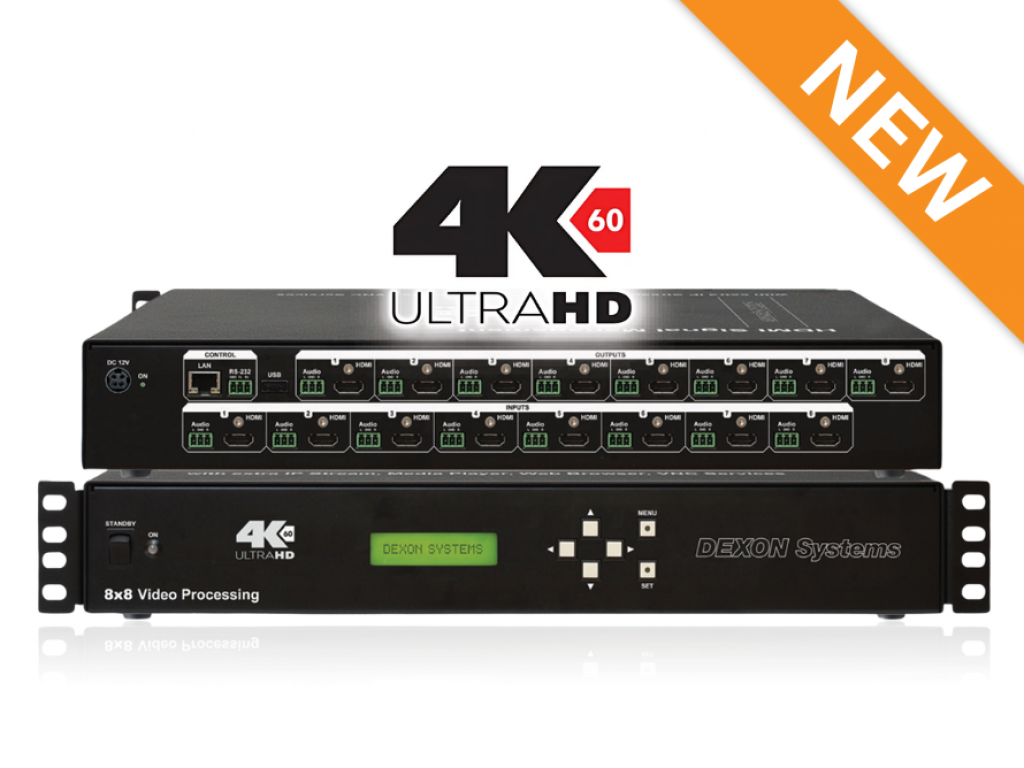
4x4 switchers are an impressive addition to most meeting rooms and other AV-driven spaces — but there are already 8x8 models on the market. Stick to a matrix switcher that meets your tech needs, and you can’t go wrong.

The Importance of Signal Quality and EDID Management
Signal quality is all about how well an input reaches your designated output without any drops in fidelity, lag, distortion, noise, or any other “damage” to the signal. However issues with a signal’s quality manifest, they get in the way of a clear, smooth experience.
EDID (Extended Display Identification Data) is another piece of this puzzle. This is a disclaimer that that a display sends to a source, explaining what it can and can’t support. Without this, your system might show a lower-quality video, or no video at all, to cope with incompatible displays.
Modern matrix switchers come with built-in EDID capabilities to avoid these problems. They also usually support 4K, though check the specifics for any particular model you have your eye on.
Designing for Flexibility and Scalability
One of the main reasons matrix switchers are so popular is their focus on flexibility — as stated above, they work with virtually all AV inputs and outputs. Here’s why this matters:
- You can use the room for various purposes without recabling
- Different users can similarly set up custom configurations
- Operators don’t need to know AV jargon to operate the switcher
- Switchers can communicate with room automation software
A flexible matrix puts the power in your hands; and for added flexibility, some even come with a built-in web browser and media player.
Scalability, however, is just as important; luckily, a matrix switcher should allow you to meet your organization’s rising AV demands. If it uses network switches, this is as simple as adding a new device to the network.
Beyond this, matrix switchers are modular enough that you can simply add input or output cards as your capacity grows. Network-based or otherwise, a matrix switcher’s scaling will future-proof your AV system and stop you from needing to replace everything as you upgrade.
Conclusion: Smarter Routing for Smoother Operations
Smart AV signal routing makes your whole operation smoother, whether you’re running a control room or setting up a presentation. To learn more about what DEXON Systems’ matrix switchers have to offer, talk to our team today.
Stay updated with the latest AV technology and innovations, join our newsletter today!