When Should You Choose a DisplayPort Input Instead of HDMI?
DisplayPort and HDMI are both popular, powerful inputs – though they naturally come with their own strengths and weaknesses. For example, HDMI inputs are more recognized natively, while DisplayPort is better for intensely demanding graphical operations. The question of DisplayPort input vs. HDMI isn’t easy to answer, especially since they often go hand in hand.
In this post, we’ll explain when HDMI and DisplayPort are each the best option, and why today’s professional video wall systems support both.
The Role of DisplayPort and HDMI in Professional AV Systems
HDMI and DisplayPort are the main digital interfaces in professional AV systems. They transmit high-quality video (and usually audio) from sources to displays and other devices. Both perform the same basic functions, but are optimized for different settings and applications.
HDMI is certainly more common than DisplayPort, with it available on most commercial laptops, PCs, and other AV-ready devices. However, we can’t discount DisplayPort’s strong performance in demanding professional environments.
.jpg)
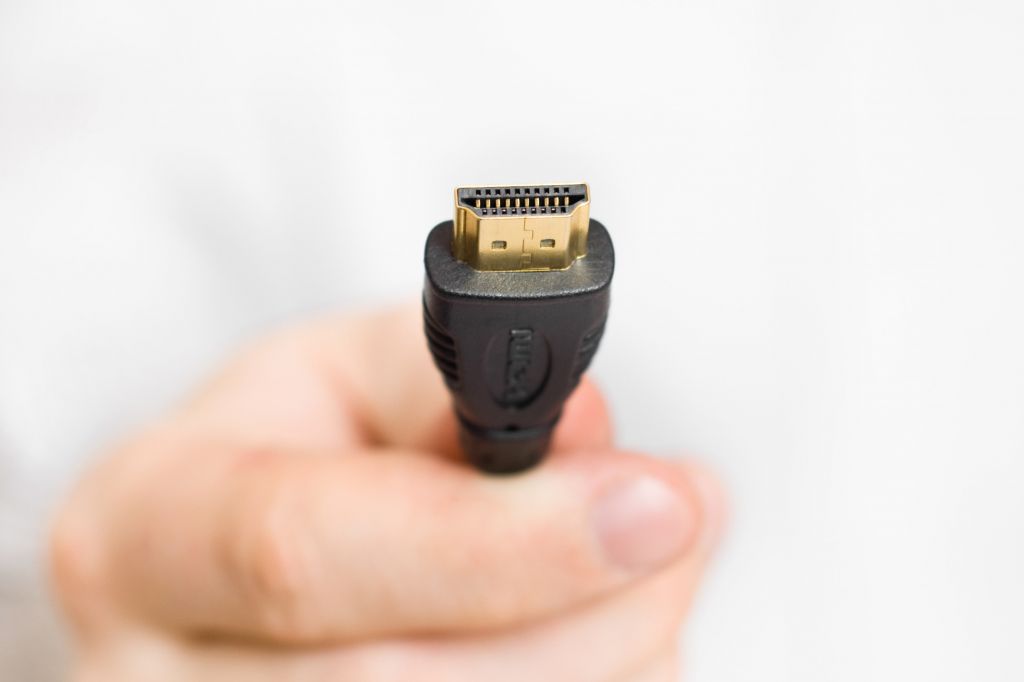
What Is HDMI and Where Is It Commonly Used?
HDMI was introduced in 2002 and transmits video and audio via a single cable. As noted above, it is now effectively the standard for consumer electronics, namely:
● Laptops and PCs
● Televisions
● Home theater systems
● Gaming consoles
● BluRay players
It is also commonly used in digital signage and other types of commercial displays. The format’s widespread adoption and near-universal compatibility feed into each other. Essentially, so many devices use it because it’s so popular, making it even more ubiquitous in the process.
For many (not all) AV setups, HDMI alone will be enough.
What Is DisplayPort and Why Is It Important for Professional Applications?
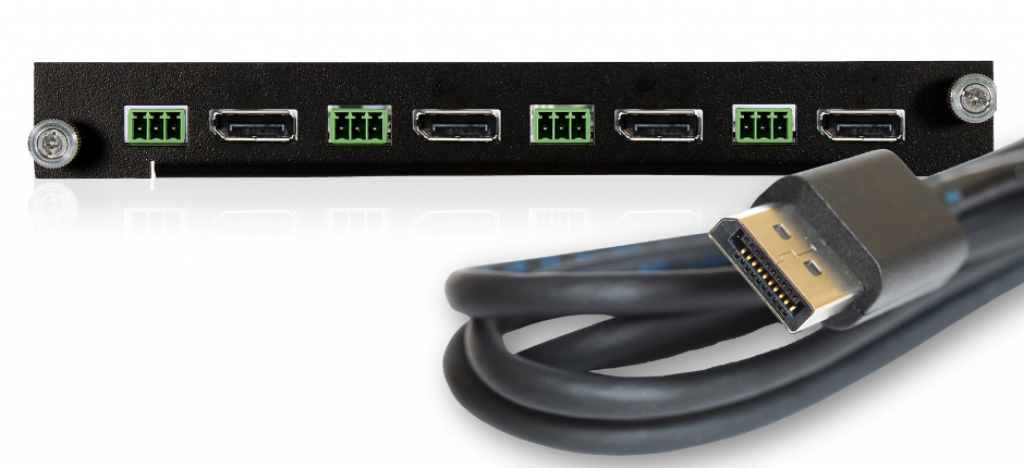
DisplayPort was developed by the Video Electronics Standards Association for more heavy-duty operations. A DisplayPort video wall controller is thus the best option for professional AV setups and high-end workstations. Its main advantages include:
● High resolution and refresh rate support
● Better integration with professional GPUs
● Higher available bandwidth than most HDMI versions
● More flexible synchronization features
In demanding operations, DisplayPort is often the first choice. This usually includes video walls, which may run continuously while displaying high-resolution content on a large scale on several screens. An HDMI video wall system still does a great job, but won’t always be enough.
DisplayPort vs. HDMI: Key Differences
The main difference between DisplayPort vs. HDMI for professional AV is that the latter typically reigns supreme in consumer electronics, while DisplayPort prioritizes high-end computing.
Here is a full breakdown of the technical differences between DisplayPort input vs HDMI:
| Feature | DisplayPort | HDMI |
| Main market | Professional computing | General electronics |
| Multi-monitor support | Native | Limited |
| Bandwidth | Very high | High |
| Workstation support | Excellent | Good |
| Use with TVs | Rare | Common |
| Use with professional GPUs | Common | Occasional |
Beyond these details, both formats offer high-quality audio and excellent gaming support. They also cost around the same amount, so choosing between them is rarely a matter of finances.
Zeroing in on the formats’ bandwidth, modern video walls usually use 4K (or even 8K) and high refresh rates. DisplayPort’s bandwidth advantages allow transmission of higher frame rates and larger resolutions, often vital for graphics-intensive video walls.
Though HDMI isn’t far behind bandwidth-wise, anyone seeking high-resolution video input could see this difference as big enough to choose a DisplayPort input card. Ultimately, however, HDMI still plays a strong role in modern AV and video wall systems.
When HDMI is the Right Choice for a Video Wall System
To elaborate, HDMI is the better option in a number of situations. It’s also often more likely to be readily available on your devices and displays. The convenience alone may be worth somewhat lower bandwidth (which, depending on the system, you might not notice).
Similarly, consumer media and digital signage players typically use HDMI. The content here will rarely require DisplayPort’s advanced capabilities. You won’t rely on external adapters, and you can always use an additional HDMI input card if you run out of slots.
Most corporate and professional settings will get by just fine with HDMI. Even live settings, such as security or broadcasting environments, don’t always depend on refresh rates as high as what DisplayPort offers.
When DisplayPort is the Better Choice
DisplayPort is usually the better of the two video wall input interfaces in demanding settings. For example, its high bandwidth capabilities help it handle even 8K video content. In fact, top GPUs from manufacturers such as NVIDIA and AMD often use DisplayPort as their main interface.
DisplayPort is also the best option for video walls driven by a graphics-intensive workstation, as this setup offers the most direct connection. It’s usually used for, but is by no means limited to:
● CAD and engineering design
● 3D visualization
● Scientific research
● Financial trading systems
● Medical imaging
Its reliability in demanding situations also makes it ideal for security or network centers.
Why Professional Video Wall Controllers Support Both
When it comes to DisplayPort input vs. HDMI, it’s not really fair to say there’s a clear winner, as HDMI more than makes up for any relative shortcomings due to its high compatibility. That said, you can buy input cards for either if you need additional connections as your system grows.
Professional video wall controllers usually support both. This is because they are each common sights in professional AV, and often go together on the same system. Your AV system can thus support everything from a basic presentation to a mission-critical workstation video output.
Selecting the Right Connectivity for Your AV Requirements
Professional AV connectivity rarely relies on just HDMI, though this is still a very robust standard for video walls and other large-scale outputs. By figuring out whether DisplayPort or HDMI suits your needs, you can make sure your video wall has the most efficient setup possible.
To find the right inputs for your AV system, contact DEXON Systems today.