Mastering Frame Rate Conversion in Professional AV
Professional audiovisual systems use frame rate conversion (FRC) to balance components with a wide spectrum of frame rates. This is essential for avoiding dropped frames and other issues, though you may need a hardware-based solution for this to be seamless.
In this post, we’ll explain frame rate conversion, the challenges it may create, and how to ensure your AV system is fully synchronized.
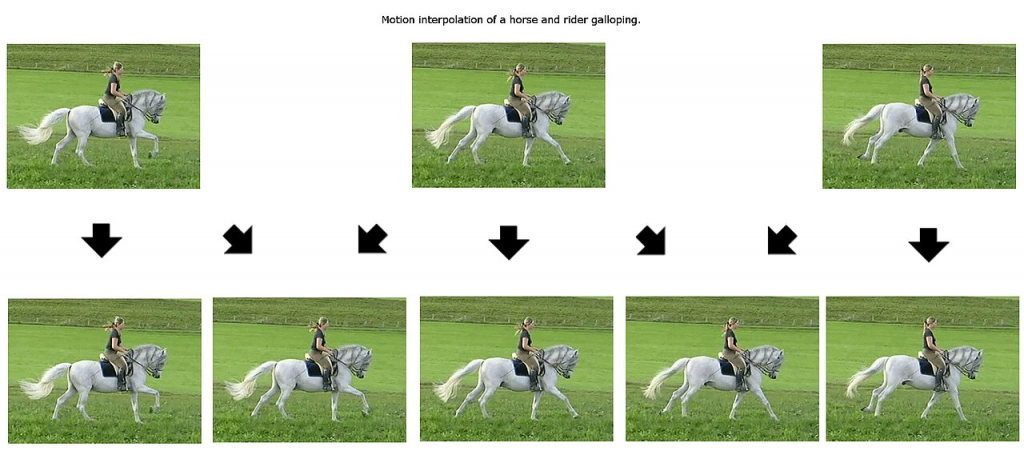
(Source: https://commons.wikimedia.org/wiki/File:Motion_interpolation_example.jpg)

What is Frame Rate Conversion (FRC)?
Frame rate conversion is changing a video signal’s frame rate to match another part of your AV system. For example, movies are typically projected at 24 frames per second in the cinema but play at either 29.97 (US) or 25 (Europe) fps on television.
Playing the movie at 24 fps on a screen designed for 30 fps or higher can cause serious issues, such as uneven motion. There are a few ways around this, including repeating some frames to increase fps or removing them to lower it. However, some of these methods may make a video look choppy or introduce artifacts.
Different settings have different frame rates; the most common ones include:
● 24 fps offers a classic film feel, but the motion (particularly when panning) is less smooth
● 50 fps is a broadcast standard that can keep up with fast movement, like at live events
● 60 fps is even smoother and is what people expect in gaming and high-motion content
In professional AV, you often need to find the balance between multiple frame rates.
Common Frame Rate Conversion Challenges
The right approach to frame rate conversion ensures every video plays smoothly - regardless of how it was filmed, or your display’s settings. However, you might still run into certain challenges. Here are some of the most common ones and how to mitigate them.
Juddering
Judder is uneven motion, particularly noticeable during camera pans. This happens when using uneven frame repetition; you can’t double 24 fps into 60 fps, meaning some frames need to last longer. The motion might then feel “jerky” to the average viewer. It’s better to double the footage to 48 fps; even if that's below 60 fps, it’ll be a better viewing experience.
Tearing
This is when parts of the screen display different frames simultaneously. It happens when frame updates don’t fit the display’s refresh rate, how often the screen “redraws” the same frame. With tearing, it draws a new frame before finishing the previous one. Genlock helps synchronize your display with other devices, ensuring they have the same refresh rate.
Latency
Some FRC techniques can consume a lot of bandwidth, leading to small delays that can appear as buffering. Even minor lag can hurt a user’s experience. For example, someone watching live sports might hear the crowd cheer on a touchdown before they can see it. You can manage this by avoiding motion smoothing for live events and using low-latency modes where possible.
Why Hardware-Based FRC is Essential for Video Walls
Hardware-based frame rate conversion offers more predictable results, which is nothing short of essential for real-time output. These solutions usually process FRC via field-programmable gate arrays in a fixed pipeline to ensure low latency, while software depends on system load.
Large video walls rely on multiple screens working in perfect tandem. Even the smallest error on one could sink the whole setup. Luckily, the hardware at play here usually supports genlock and scaling, meaning a pixel-perfect output even as the “canvas” you’re using gets larger.
AV hardware is also usually built for high-throughput video, often up to 4K (and sometimes even higher). This means there’s less risk of dropped frames, even at high frame rates. Plus, they use high-end processors - many of which implement optimized motion algorithms to avoid juddering, tearing, and the other usual issues.
A software-based solution is often unreliable, especially in live or 24-hour AV. A video wall might have to run day and night, and you need purpose-built hardware with FRC. Software may not be able to sustain frame rate conversion for days on end, leading to the video falling out of sync.
.png) |
 |
| DVP500 Video Processor | DMX302x Matrix Switcher |
Achieving Seamless Synchronization
Professional AV tools often use both framelock and genlock to keep their video synchronized.
Here’s a quick rundown of how each approach works:
● Framelock ensures that every device outputs frames simultaneously.
● Genlock provides each video source with a common timing reference.
Though there are certain settings where one approach is better, they generally work together. In an LED wall, for example, genlock keeps the camera/playback sources in sync, while framelock ensures the LED processor updates each panel at the right time.
Genlock and framelock do almost all of the work to synchronize AV frame rates. However, some devices have their own internal delays even after these processes. If this happens, you can use latency compensation, where available, to match the signal chains. Many video processors also include buffers that “hold” frames until all devices are ready.
Optimizing Your Visual Ecosystem
Frame rate conversion can make videos smoother for you, your team, and your customers. This lets you create better live video experiences or simply build a stronger video wall setup. But this is only possible with high-level AV equipment from a reputable provider.
If you need help building a visual ecosystem that seamlessly synchronizes its video sources and keeps juddering, tearing, and latency to a minimum, contact DEXON Systems today.